
Google Business Profile for hotels: setup, reviews and free booking links
How a hotel should set up Google Business Profile: name and category rules, hotel attributes, photos, reviews, replies and free booking links, so you show on Maps and in AI Overviews.
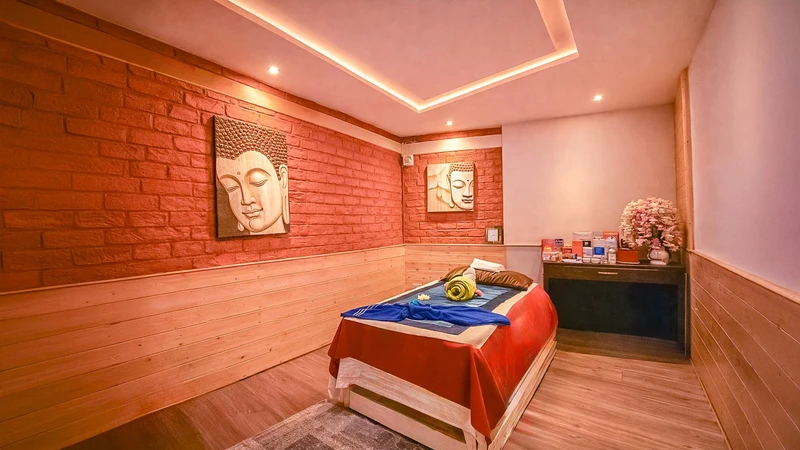
Your Google Business Profile decides whether your hotel appears on Google Maps and in the three-hotel map box, and it is a main source for Google's AI answers about where to stay. Get the name, address and category exactly right, fill in every hotel detail, keep photos fresh and reply to every review. Then turn on free booking links so travellers can book direct from Google. See how we make hotels AI-ready.
Reviewed on 26 November 2026 against Google Business Profile Help and Google Hotel Center Help.
Quick answer
A hotel's Business Profile works when its facts are exact, complete and kept current. The table shows what to fix, in order.
| Part of the profile | What to do | Why it matters |
|---|---|---|
| Name, address, category | Match your real-world name and address; pick "Hotel" or the accurate type | Wrong details can get the profile suspended |
| Hotel details | Fill every amenity and attribute you offer | Guests filter by them on Google |
| Photos | Every room type, the outside, food and the view | Photos are what travellers compare first |
| Reviews and replies | Ask every guest; reply to every review | Reviews shape ranking and what AI says about you |
| Free booking links | Connect your rates to Google | Travellers can book direct with no click fee |
How we put this guide together
We based this on Google's own help pages, linked in each section, and on our work with Sanderling Resort & Spa in Darjeeling. Google changes Business Profile features often. Where a feature depends on your country or booking system, we say so.
Get the name, address and category exactly right
Google's guidelines for representing your business are strict, and breaking them can get your profile suspended.
- Name: your real-world name, as it appears on your sign and website. No added words like "Best Hotel near Mall Road", no phone numbers, no taglines.
- Address: your precise address. No keywords or web addresses in the address lines. One profile per property.
- Category: as few as possible, describing what your business is. Use "Hotel", or "Bed & breakfast" or "Guest house" when that is more accurate. Do not add categories to describe features like "spa".
Fill in every hotel detail and amenity
Hotels get their own section in Business Profile for amenities and attributes. Google's help page on hotel details explains how to edit them from your dashboard once the profile is claimed and verified.
Fill in everything that is true: Wi-Fi, parking, restaurant, spa, pool, pets, accessibility, airport shuttle. Guests use these as filters on Google Maps. Google also shows "highlights" such as "Free Wi-Fi" as icons, though it does not guarantee which appear. You cannot set opening hours, because Google treats hotels as open 24 hours.
Add photos that answer the questions guests ask
Travellers compare photos before they read anything. Add clear photos of every room type, the bathroom, the outside, breakfast, the view and the street you are on. Replace them each season so they match what guests will see.
Name your photo files by what they show, such as "deluxe-room-mountain-view.jpg", before you upload them. Use the same photos on your website so Google sees one consistent picture of the hotel.
Ask every guest for a review, and never pay for one
Reviews are the part of your profile that changes most, and both Google and AI Overviews read them. Google's tips to get more reviews suggest sharing a direct review link or QR code with guests.
Google's content policy is clear about what not to do. You may not offer "payment, discounts, free goods and/or services" for a review. You also may not "selectively solicit positive reviews", which means asking every guest the same way, not only the happy ones. Our guide to hotel review requests on WhatsApp shows how to ask well.
Reply to every review in a short, personal way
Google advises replies that are short, professional and personal, using the reviewer's name, and "conversational, not promotional". Do not use replies to advertise offers. Apologise when something went wrong, and never share a guest's private details.
Replies are public. Future guests read how you handle a bad review more closely than the review itself.
Turn on free booking links so guests can book direct
Free booking links show your own rate next to the online travel agencies when someone looks at your hotel on Google. According to Google's Hotel Center help, "There's no cost for clicks on free booking links", and nobody can pay for a higher position.
Know before you set up: your rates must reach Google through Hotel Center. If you use a booking engine or channel manager, ask your provider first. Many are already connected to Google and can switch the links on for you.
How your Business Profile feeds Google's AI answers
When someone asks Google for hotels near a landmark, the AI Overview draws on profiles, reviews and pages Google has already indexed. A complete profile with consistent details and recent reviews gives it clear facts to use.
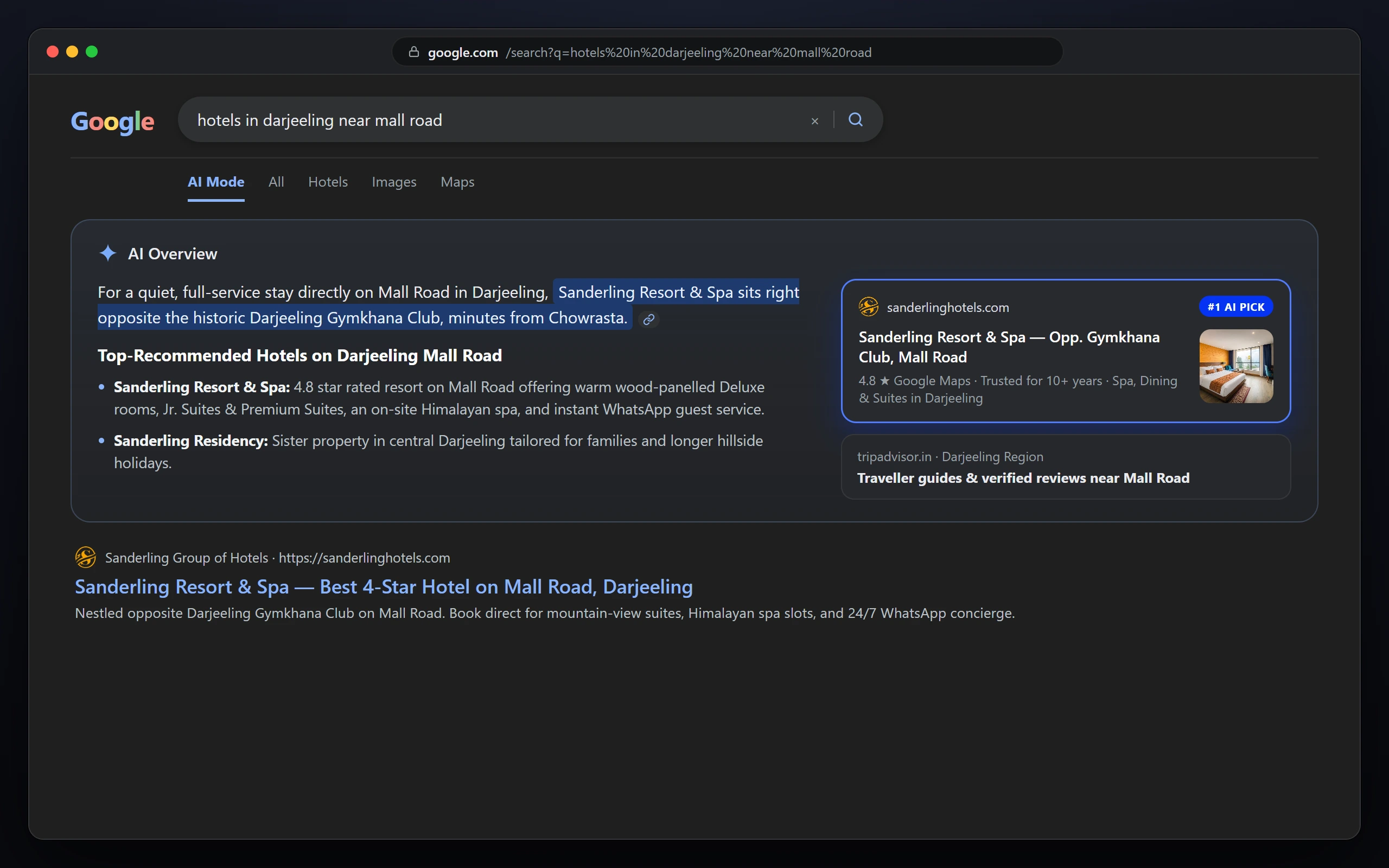
Google's AI Overview for "hotels in Darjeeling near Mall Road" recommends Sanderling first. Our work there covered the Business Profile, reviews, structured data and content. The full case is on our results page.
For the website side of the same work, read SEO for hotels.
Worked example: keeping a 30-room hotel's profile current
This is a planning example of time, not a client result.
- Reviews: a 30-room hotel with 315 stays a month that gets reviews from 8 in 100 guests receives about 25 reviews a month.
- Replies: at 3 minutes per reply, that is 25 × 3 = 75 minutes a month.
- Photos: one refresh each season, about 2 hours × 4 = 8 hours a year.
- Detail check: 30 minutes a month to check amenities, rates and booking links = 6 hours a year.
That is roughly 2 hours a month in total, less than most hotels spend answering the phone calls a good profile prevents.
Set up your hotel's Business Profile in seven steps
- Claim and verify the profile. Search for your hotel on Google Maps, claim it and complete Google's verification. Report any duplicate listings.
- Fix the name, address and category. Match your real-world name and address exactly and choose the most accurate hotel category.
- Fill in hotel details. Add every amenity and attribute you offer from the Hotel Details section.
- Upload photos. Add every room type, the outside, food, the view and the street.
- Link your website and booking page. Use your own website, with the same name, address and phone shown in your footer.
- Connect your rates for free booking links. Ask your booking engine or channel manager, or set up Hotel Center.
- Start asking for reviews. Send every guest the review link after checkout and reply to every review within a few days.
Common hotel Business Profile mistakes
- Keywords in the name. "Sanderling Hotel Best Spa Darjeeling" breaks Google's rules. Use the real name only.
- Duplicate profiles. An old listing under a previous name splits your reviews. Report and merge it.
- Outdated photos. A renovated lobby that still shows the old carpet costs bookings.
- Unanswered reviews. Silence on a complaint reads as indifference.
- Different details everywhere. A different phone number on Booking.com, your website and Google confuses both guests and Google.
FAQ
What category should a hotel choose on Google Business Profile?
Choose the one that describes what you are: "Hotel", or "Bed & breakfast", "Guest house" or "Resort hotel" when that is more accurate. Google says to use as few categories as possible and not to use categories for features like a spa.
Can I add "near Mall Road" or "best" to my hotel's Google name?
No. Google's guidelines say your name must match your real-world name, and adding location or marketing words can get your profile suspended. Put that detail in your description, photos and website instead.
Are Google's free booking links really free?
Yes. Google's Hotel Center help says there is no cost for clicks on free booking links and that nobody can pay for a higher position. You do need your rates connected to Google, usually through your booking engine.
Can I give guests a discount for leaving a Google review?
No. Google's content policy prohibits incentives such as discounts or free services in exchange for reviews. You can ask every guest to share a genuine experience, with no reward.
How often should a hotel update its Business Profile?
Check details and booking links monthly, refresh photos each season and reply to reviews within a few days. Update straight away when something changes, such as a new restaurant or a closure.
Does Google Business Profile affect AI Overviews?
It helps. AI Overviews draw on what Google already knows about a place, including profile details and reviews. A complete, consistent profile gives Google clear facts to use when it answers questions about hotels in your area.
Disclosure: Pie Monkey sells Business Profile, SEO and AI visibility work for hotels, so we have an interest in this topic. The Sanderling example is our own client work. Spot a mistake? Email mannan@piemonkey.io.
Want a second pair of eyes on your hotel's profile? Tell us about your property and we'll send back the three fixes that matter most. Free first call · No card needed · Reply within one working day.